cloud solutions for small business: A practical guide
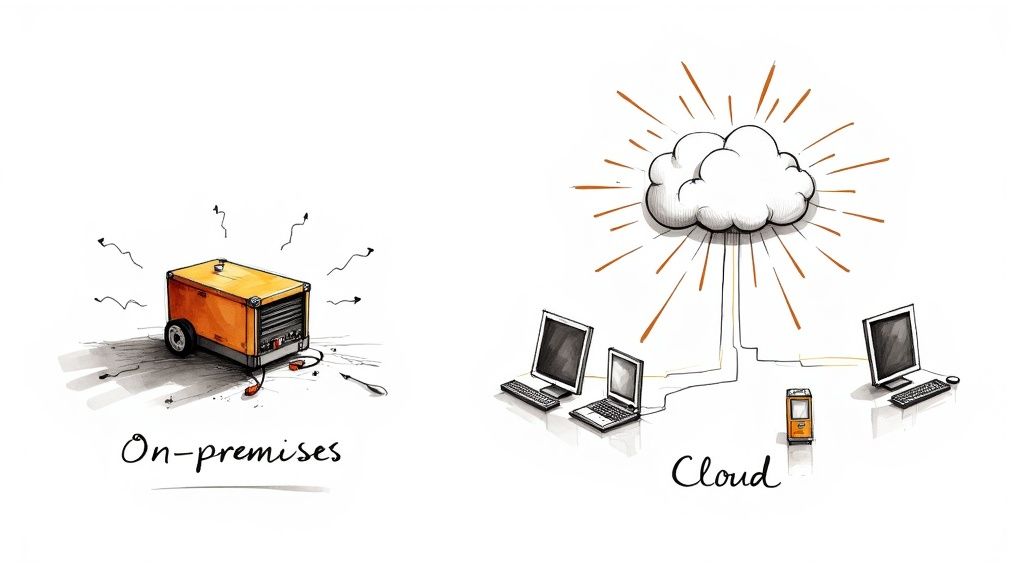
Moving to the cloud isn't just a smart move anymore—it's become a core part of how small businesses survive and thrive. Think of it like this: running your own servers is like keeping a diesel generator in your office. It's expensive, needs constant maintenance, and might not be there for you when you need it most.
Cloud solutions are the national grid; you just plug in and get all the power you need, when you need it.
Why the Cloud is a Game-Changer for Small Businesses
For many small business owners, "the cloud" can sound a bit fuzzy and overly technical. In simple terms, it's just a shift from buying and managing your own physical IT gear to renting computing services from a specialist provider over the internet. This one change completely levels the playing field, giving smaller companies access to the kind of powerful tech that used to be reserved for big corporations with deep pockets.
It's less about the technology itself and more about the operational freedom it gives you. Instead of pouring cash into servers that start ageing the second you buy them, you pay a predictable monthly fee for exactly what you use. This turns a massive, risky capital expense (CapEx) into a much more manageable operating expense (OpEx). But the real wins go way beyond the balance sheet—they change how you operate, innovate, and compete.
Fuelling Agility and Growth
The real magic of cloud solutions for small business is the agility they unlock. Had a great marketing campaign and suddenly need more storage? You can scale up in minutes. Want to test out a new app idea without gambling on new hardware? The infrastructure is already there, waiting for you. This kind of elasticity means your technology grows right alongside your business, never holding you back.
This leads to some serious operational advantages:
- Seamless Collaboration: Your team can access and work on the same files at the same time, from anywhere. No more "which version is the latest?" headaches.
- Top-Tier Security: The big cloud providers invest billions in security—far more than any small business could ever afford. You get enterprise-grade protection as part of the service.
- Rock-Solid Disaster Recovery: With your data safely backed up across multiple secure locations, you can keep trading even if your physical office has a disaster.
The New Normal for UK Businesses
This isn't some far-off trend; it’s happening right now. Across the UK, small businesses have fundamentally changed how they work, putting cloud services at the heart of their operations. As of 2025, 61% of small businesses are now running over 40% of their critical tasks in the cloud. Even more telling, an overwhelming 72% of businesses with fewer than 50 employees now rely on SaaS platforms as their main IT setup. You can find more UK cloud adoption statistics that paint a very clear picture.
The question for small business owners is no longer if you should move to the cloud, but how to do it strategically to get the biggest bang for your buck. It’s about using these tools to work smarter, not just harder.
By embracing the cloud, you're not just updating your IT. You're building a more resilient, efficient, and scalable foundation for whatever comes next.
Choosing Your Cloud Model: SaaS, PaaS, or IaaS
When you start exploring cloud solutions for your business, you'll quickly run into a few key acronyms: SaaS, PaaS, and IaaS. These aren't just tech jargon; they represent different ways of using the cloud, each with its own level of control, cost, and responsibility.
Getting your head around these models is the first step to picking a solution that truly fits your needs, without paying for features you'll never use.
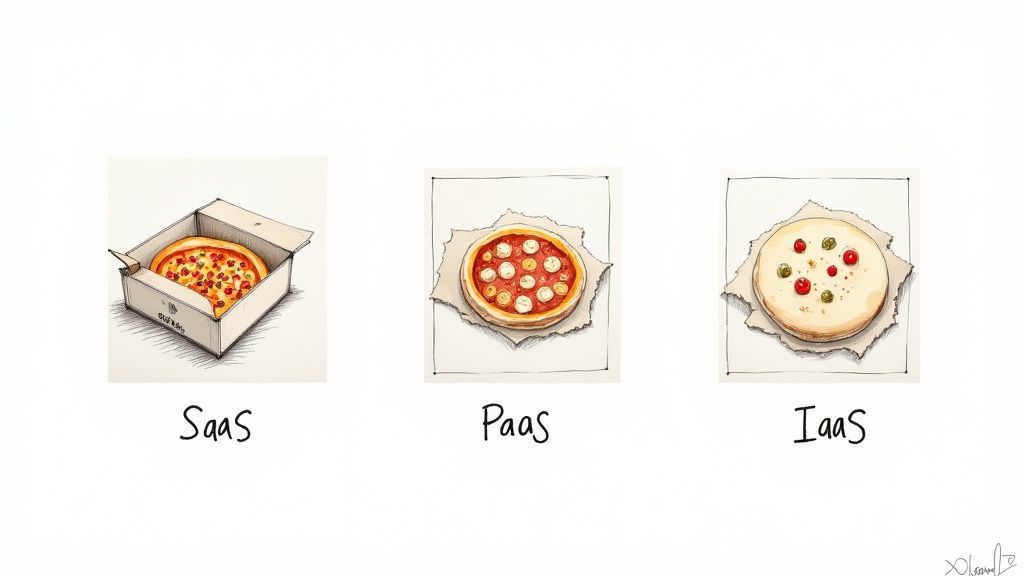
Let's make this really simple with a pizza night analogy. Think about it: you want pizza, but there are a few ways to get it. Each option maps perfectly to a cloud service model and helps clarify what you're responsible for versus what the provider handles for you.
SaaS: Software as a Service
Software as a Service (SaaS) is the simplest option: it’s like ordering a pizza and having it delivered, hot and ready, straight to your door. You don't have to worry about buying ingredients, kneading dough, or firing up the oven. You just open the box and eat.
This is, by far, the most common cloud model for small businesses. You essentially rent software over the internet. The provider takes care of everything behind the scenes—the application itself, the servers it runs on, all the updates and maintenance. Your only job is to log in and use it.
You're probably already using SaaS products every day. Popular examples include:
- Microsoft 365 or Google Workspace for your email, documents, and team collaboration.
- Xero or QuickBooks Online to handle your accounting and bookkeeping.
- Salesforce or HubSpot for managing all your customer relationships (CRM).
SaaS is all about convenience. It gives you powerful, ready-to-use tools for a predictable monthly fee.
The first SaaS decision most small businesses make is their office suite. Our comparison of Microsoft 365 vs Google Workspace for small business walks through plans, storage, security and migration so you can pick the right one.
PaaS: Platform as a Service
Platform as a Service (PaaS) is like getting a take-and-bake pizza kit. The provider gives you the dough, sauce, and all the toppings, but you take it home to cook in your own oven. You get to control how long you bake it and maybe add a few extra ingredients, but you didn't have to make the core components from scratch.
In the cloud world, PaaS gives your development team a ready-made environment to build, test, and run your own custom applications. The provider manages the underlying infrastructure—the servers, storage, and networking—so you can focus entirely on creating the software that sets your business apart.
PaaS is the perfect middle ground for businesses that need to build their own unique software but don't want the headache of managing all the complex hardware and operating systems underneath.
This model offers creative freedom without the heavy lifting of infrastructure management. For example, your business could use a PaaS solution to build a custom customer loyalty app without ever needing to buy or configure a physical server.
IaaS: Infrastructure as a Service
Infrastructure as a Service (IaaS) is like being given all the raw ingredients for your pizza—the flour, yeast, tomatoes, and cheese. You have complete control, but it's on you to make the dough, create the sauce, and build the pizza from the ground up, all in your own kitchen with your own oven.
IaaS provides the fundamental building blocks of computing: servers, storage, and networking, all available on demand. You're renting the raw hardware from a provider like Amazon Web Services (AWS) or Microsoft Azure. This gives you maximum flexibility and control, but it also means you’re responsible for managing everything on top, including the operating systems, data, and applications.
This model is best for businesses with specific technical requirements or those that need absolute control over their digital environment, like hosting a high-traffic e-commerce site or running complex data analysis.
Comparing SaaS, PaaS, and IaaS for Your Business
To help you visualise the differences and decide what might work for you, here’s a quick breakdown of the three cloud models. Think about where your business's needs and technical comfort level fit in.
| Model | What You Manage | Best For | Example Providers |
|---|---|---|---|
| SaaS | Just your user data and access | Businesses wanting ready-made software with minimal IT overhead. | Google, Salesforce |
| PaaS | Your applications and data | Businesses building custom software without managing infrastructure. | Heroku, Google App Engine |
| IaaS | Applications, data, operating systems | Businesses needing full control over their computing environment. | AWS, Microsoft Azure |
Ultimately, choosing the right model comes down to your specific goals, in-house technical skills, and budget. For the vast majority of small businesses, starting with SaaS solutions for core functions like email and accounting is the easiest and most direct way to start benefiting from the cloud.
Getting to Grips with the Real Cost of the Cloud
One of the biggest draws of the cloud for a small business is the promise of ‘pay-as-you-go’. It sounds simple, but the full financial picture has a few more layers that every business owner should know about. Moving to the cloud is a fundamental shift in how you budget for your tech, swapping out large, one-off hardware purchases for a steady, predictable monthly bill.
This change is a game-changer. It turns your IT spending from a Capital Expenditure (CapEx)—like splashing out thousands of pounds on a new server—into an Operating Expenditure (OpEx), which is just a manageable monthly cost. This simple switch frees up your cash and makes financial forecasting a whole lot easier.
Moving From Big Upfront Bills to Ongoing Value
Think about it: instead of forking out for a massive server that starts ageing the second you plug it in, you’re only paying for the exact amount of computing power and storage you actually use each month. This model lets you scale up or down in an instant.
Let's say you run a marketing campaign that goes viral and your website traffic explodes. No problem. You can add more capacity with a few clicks and only pay for that extra muscle for as long as you need it. Once things quieten down, you just scale back. This flexibility means you’re never overspending on hardware you think you might need one day. It also cuts out all those other costs that come with having physical servers in your office, like the electricity bill, the air conditioning, and the space they take up.
The cloud isn’t just about renting someone else’s computer. It's about turning your IT from a static cost centre into a dynamic investment that flexes and grows right alongside your business.
This way of thinking is quickly becoming the norm. In fact, by 2025, small and medium-sized businesses in the UK are expected to spend more than half of their tech budgets on cloud services. With an average annual spend sitting around £21,000, it’s a serious shift, but one that pays off. A huge 74% of CFOs report that their cloud investments delivered a positive return within just 12 to 18 months. You can dive deeper into the numbers with these cloud spending and ROI statistics.
Keeping an Eye Out for Hidden Costs
While the pay-as-you-go model is brilliant for efficiency, you need to be savvy about costs that aren't always obvious from the start. To build a truly transparent budget, you have to look beyond the headline monthly price. Once you are running, our cloud cost optimization guide for small business shows how to find idle resources and keep the monthly bill under control.
Here are a few common extras to watch for:
- Data Transfer Fees: You’ll often hear these called "egress fees." They're charges for moving your data out of the cloud. Uploading is usually free, but downloading your data or sending it to another service can cost you.
- Premium Support: Basic customer support is typically part of the deal, but if you need urgent help from a real person or guaranteed fast response times, you'll probably have to pay for a premium support plan.
- Extra Security Layers: More advanced security tools—things like sophisticated firewalls, threat detection systems, or specific compliance monitoring—often come as add-ons with their own price tag.
- Software Licences: Don't forget that using specific software on your cloud servers, like certain database systems or Windows Server, might mean paying separate licensing fees on top of your infrastructure costs.
Knowing about these potential charges right from the beginning will help you put together a realistic budget and avoid any nasty surprises later on.
Working Out the True Return on Your Investment
The real value of cloud solutions for small business goes way beyond just replacing old hardware. The return on your investment comes from huge gains in productivity and efficiency that ripple through your entire company.
Just think of the hours your team gets back when they’re not wrestling with server maintenance, running software updates, or trying to fix IT glitches. That’s time they can spend on what really matters: talking to customers, developing new products, or driving sales.
What's more, cloud tools make it easy for remote and hybrid teams to collaborate effectively, which boosts productivity and lets you hire the best people for the job, no matter where they live. Plus, having access to enterprise-grade analytics tools that you couldn't afford to run yourself empowers you to make smarter, data-led decisions that directly fuel your growth.
Navigating Cloud Security and Compliance
Handing your company’s sensitive data over to someone else to store can feel like a huge leap of faith. It’s a common worry for small business owners. But here's the reality: the security measures from major cloud providers like Amazon Web Services (AWS), Microsoft Azure, and Google Cloud are far more robust than what most small businesses could ever build themselves.
The real trick is understanding where their responsibility ends and yours begins. This is all laid out in something called the Shared Responsibility Model.
Think of it like renting a space in a high-security storage facility. The company that owns it is responsible for the big stuff—the reinforced walls, the 24/7 guards, the state-of-the-art alarm system, and the fire suppression. They’ve secured the entire building.
But you’re still responsible for the padlock on your own unit. You decide who gets a key and what you put inside. In the cloud, it's the same deal. The provider secures the underlying infrastructure, but you are always responsible for securing your own data and controlling who can access it.
Your Security Responsibilities in Practice
The cloud provider gives you all the tools to keep your data safe, but it's on you to actually use them. Leaving your digital "door" unlocked makes you an easy target, no matter how secure the building is.
Here are the absolute essentials every small business should have in place:
- Switch on Multi-Factor Authentication (MFA): If you only do one thing, do this. MFA adds a second layer of security, like a code sent to your phone, on top of a password. This single step makes it dramatically harder for the wrong people to get into your accounts.
- Use Strict Access Controls: Not everyone in your company needs access to everything. Follow the principle of least privilege—only give people access to the specific data and tools they need to do their job, and nothing more. Make sure you review these permissions regularly, especially when someone leaves the company or changes roles.
- Keep Your Own Backups: Cloud platforms are incredibly reliable, but you're still on the hook for your data. A solid backup plan is your safety net against accidental deletions, data corruption, or even a ransomware attack. You need a clear process for both backing up and, just as importantly, restoring that information when you need it.
Getting to Grips with Compliance
Beyond protecting your data from hackers, you have a legal duty to handle it responsibly, especially when it comes to personal information. For any business operating in the UK, data protection laws aren't just good practice—they're the law.
The big ones you need to know are the UK General Data Protection Regulation (UK GDPR) and the Data Protection Act 2018. These rules dictate exactly how you must collect, use, store, and share the personal data of your customers and employees.
A common pitfall is thinking that moving to the cloud makes compliance the provider's problem. That's not the case. While the provider is responsible for their infrastructure's compliance, you are always the data controller. This means you are legally accountable for how the data you put in the cloud is handled.
This is a crucial point. It means you have to be absolutely sure that your chosen cloud solutions for small business meet all the necessary legal standards.
How to Stay Compliant in the Cloud
Making sure your cloud setup meets UK data laws isn't as complicated as it sounds. It just requires a bit of planning and making compliance part of your strategy from the very beginning.
- Pick a Compliant Provider: Go with a cloud provider that can prove they comply with UK GDPR. Look for official certifications and don't be afraid to ask for their documentation on data protection. It’s also wise to check if they can store your data specifically in UK data centres to meet data sovereignty requirements.
- Review the Data Processing Agreement (DPA): Your contract with the provider will include a DPA. This is a legal document that clearly defines their role as a data processor and your rights as the data controller. Read it.
- Carry out a Data Protection Impact Assessment (DPIA): Before you start moving sensitive information, a DPIA will help you spot and reduce any data protection risks. It's about thinking through the potential problems before they happen.
By taking an active role in managing your security and understanding your legal duties, the cloud stops being a source of worry. Instead, it becomes a secure, compliant, and powerful platform to help your business grow.
Your Step-By-Step Cloud Migration Checklist
The idea of moving your business to the cloud can feel a bit like planning a major office move. It seems huge and complicated, but if you break it down into a clear plan, it becomes a series of simple, manageable steps. A good plan is the difference between a chaotic, disruptive move and a smooth transition that sets you up for success.
This checklist is your roadmap. It takes the guesswork out of the process, so you can move forward knowing you’ve covered all the important bases for an effective migration.
Phase 1: Pre-Migration Planning
Before you touch a single file, you need a solid plan. I've seen it time and again: rushing this stage is the number one reason cloud projects go over budget or fail to deliver. A bit of foresight now will save you a world of pain later.
First things first, audit your current systems. You need a complete inventory of every piece of software, every application, and all the data you rely on. Think about everything from your accounting package and CRM system to the shared files on your server and your email archives.
Next, you need to define your migration goals. What, exactly, are you trying to achieve? Is it about cutting costs? Bolstering your security? Making it easier for your team to work from anywhere? Get crystal clear on your objectives, as this will guide every decision you make and help you measure what success looks like.
A great cloud migration isn't just about shifting data from A to B. It’s about aligning your technology with your business goals. The migrations that really pay off are the ones where the business case is just as strong as the technical one.
This is also the time to map out a realistic budget and timeline. Don't forget to factor in potential downtime and the cost of getting your team up to speed on the new setup.
Phase 2: Execution and Testing
With a solid plan in hand, it’s time to get practical. This phase is all about preparing your data and running a trial run to make sure everything works perfectly before you flick the final switch.
- Select Your Cloud Provider: Based on your goals, choose a provider that’s the right fit. You’ll want to look at things like whether they have UK data centres, the quality of their support, and how their pricing works. We’ll dig into choosing the right partner in the next section.
- Prepare Your Data: This is a fantastic opportunity for a spring clean. Archive old files, get rid of duplicates, and make sure everything is organised logically. It’s just like decluttering before you move house – it makes unpacking at the other end so much easier.
- Run a Pilot Project: Don’t try to move everything in one go. Start small. Pick a non-critical workload, like a single department's files or an internal tool. This pilot acts as a dress rehearsal, letting you spot and fix any snags on a small, manageable scale.
This infographic is a great way to understand that cloud security is a partnership. You and your provider both have a role to play in keeping your data safe.
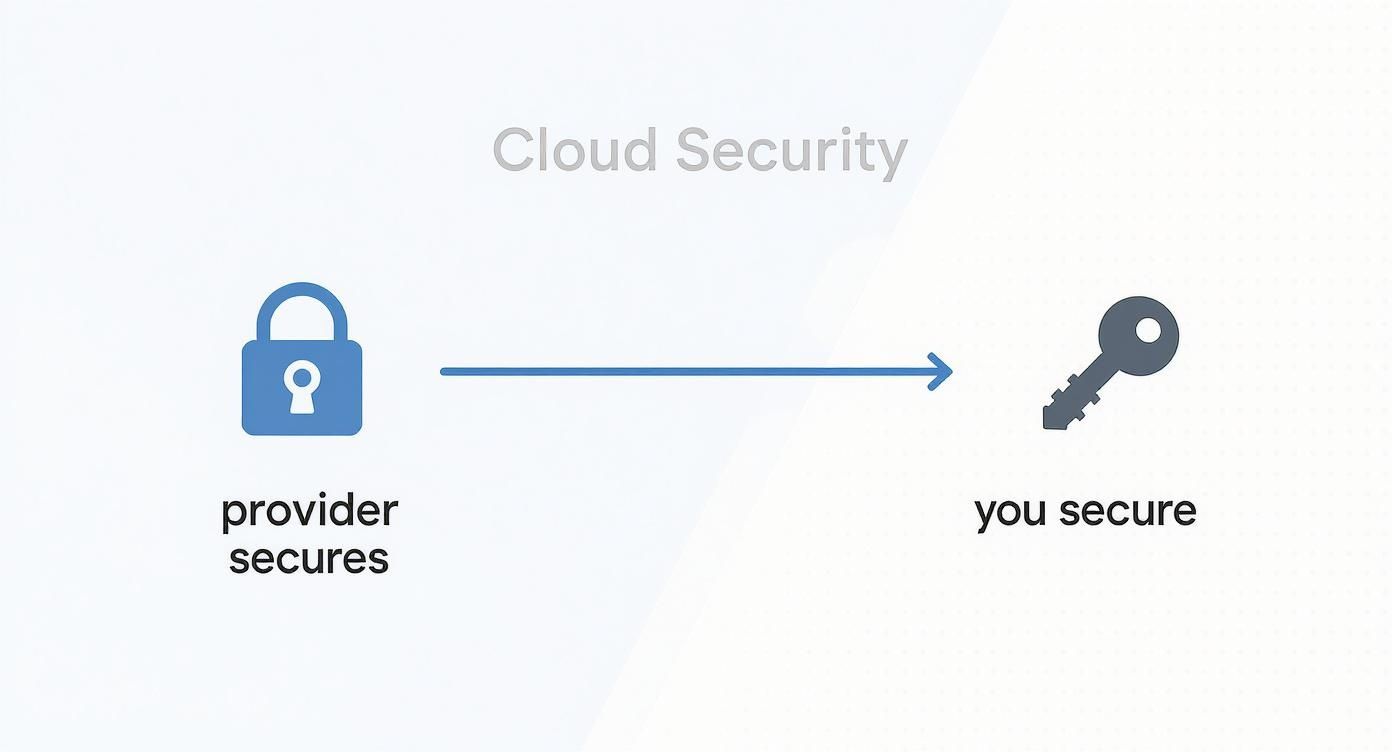
As you can see, the provider secures the core infrastructure, but your business is responsible for managing who has access and keeping the data itself secure within that environment.
Phase 3: Final Migration and Post-Launch
Once your pilot has been a success and you've ironed out the kinks, you're ready to schedule the full migration. This final stage is about moving everything else over, training your team, and finally saying goodbye to your old hardware.
- Train Your Team: This is non-negotiable. Your people need to feel comfortable and confident with the new cloud-based tools. Run training sessions that walk them through the new ways of working and, crucially, show them how it makes their jobs easier.
- Execute the Full Migration: Pick a quiet time for the business, like a weekend or overnight, to keep disruption to a minimum. Make sure you keep your team and your customers in the loop about any planned downtime.
- Decommission Old Hardware: After you've had everything running smoothly in the cloud for a while and you’re confident it’s stable, you can securely retire your old servers. This is often the most satisfying part of the whole process – the moment you officially complete your journey.
By following this approach, you turn what could be an overwhelming technical project into a strategic business upgrade, ensuring your new cloud solutions for small business start delivering real value from day one.
How to Choose the Right Cloud Provider
Picking a cloud provider is a bit like choosing a business partner. It goes far beyond just comparing prices. You're entrusting a critical part of your operations to them, and the right decision can genuinely fuel your growth. The wrong one? Well, that often leads to a tangle of technical problems, surprise bills, and sleepless nights.
When you're looking at cloud solutions for a small business, it’s easy to get distracted by flashy features. But the real test comes when things go wrong. At 3 a.m. on a Tuesday, when your website is down, you won't care about a low price—you'll care about getting expert help, fast. Think of it like hiring any key supplier: the homework you do now will save you a world of pain later.
Your aim is to find a provider that truly gets your business—your budget, your technical skills, and where you want to be in a few years' time.
Evaluate Support and Service Levels
For most small businesses, a dedicated IT department is a luxury you can't afford. This makes the cloud provider's customer support your technical lifeline. Before you sign anything, dig into what kind of support comes as standard. Can you actually get a human on the phone for an urgent issue, or are you stuck with an email ticketing system and a vague 24-hour response window?
The most important document you'll read is the Service-Level Agreement (SLA). This isn't just jargon; it’s a legally binding contract that outlines the provider's promises on service availability and performance.
An SLA is more than a technical document—it's a commitment. You should be looking for an uptime guarantee of 99.9% or higher. Just as importantly, find out what happens if they fail to meet it. Will you be compensated? Getting this clear protects your business if an outage hits your bottom line.
This agreement gives you peace of mind and a formal recourse if the service doesn't live up to its promises.
Verify Security and UK Compliance
Your data is one of your most precious assets, so your provider's security credentials and compliance with UK law are absolutely fundamental. Don't be afraid to ask direct questions about how they protect your information. Any provider worth your time will be transparent about their security measures.
Here are a few non-negotiables to look for:
- UK GDPR Compliance: They must follow UK data protection laws to the letter, especially around the handling of personal information.
- Data Centre Location: Can you choose to have your data stored in a UK-based data centre? This is often vital for regulatory reasons and can give your local customers a faster experience.
- Certifications: Look for recognised standards like ISO 27001. This isn't just a badge; it proves they have a robust, audited system for managing information security.
Assess Scalability and Performance
Your business is going to grow, and your cloud services need to keep pace without causing any friction. How simple is it to add more storage or boost computing power if you experience a sudden surge in demand? A properly scalable platform lets you dial resources up or down easily, meaning you’re only ever paying for what you actually use.
Don’t forget about the day-to-day user experience, either. Many providers offer a free trial or a pay-as-you-go option. Use it! Get your hands on their control panel and see how it feels. Is it intuitive, or does it feel like you need a degree in computer science to get anything done? A clunky interface will waste your team’s time every single day.
Finally, look for reviews and case studies from businesses like yours. What are other small businesses in your industry saying? Their real-world experiences offer the kind of honest insight you won't find in a marketing brochure and can be the deciding factor in making a choice you feel confident about.
Got Questions About the Cloud? We've Got Answers
Stepping into the world of cloud technology can feel a bit like learning a new language. It’s natural to have questions, and getting straight answers is the first step toward making a smart, confident decision for your business.
Let's tackle a few of the most common worries we hear from business owners.
Is the Cloud Really Secure Enough for My Business Data?
Absolutely, provided you take the right steps. Think about it this way: major cloud providers like Amazon, Google, and Microsoft pour billions into security—far more than any small business could ever budget for. They have teams of experts working around the clock to protect their infrastructure.
Your part of the bargain is to use the security tools they give you. Things like setting up multi-factor authentication, enforcing strong password rules, and managing who has access to what are your responsibility. When you combine their fortress-like security with your own good practices, the answer is a resounding yes.
Will I Lose Control of My Data if it's in the Cloud?
Not at all. You always own your data, period. The cloud provider is essentially a custodian; they manage the physical servers where your information lives, but the data itself remains your intellectual property.
Your service agreement will spell this out very clearly.
Think of your cloud provider as a high-security bank vault. The bank is responsible for the steel walls, the guards, and the alarm system. But you hold the only key to your safe deposit box, and you alone own its contents.
What on Earth Happens if My Internet Goes Down?
A shaky internet connection is a valid concern, but it's rarely the showstopper people fear. Many modern cloud applications are designed with this in mind and have offline modes that let you keep working. Once your connection is back, they automatically sync everything up.
For those absolutely critical moments, a simple and affordable backup plan, like a 4G/5G mobile hotspot, is all you need to stay online and keep things running smoothly.
Ready to align your technology with your business goals? Lizzard Solutions offers expert cloud strategy and implementation to help your business grow securely and efficiently. Schedule your free consultation to explore the right cloud solutions for you.